01
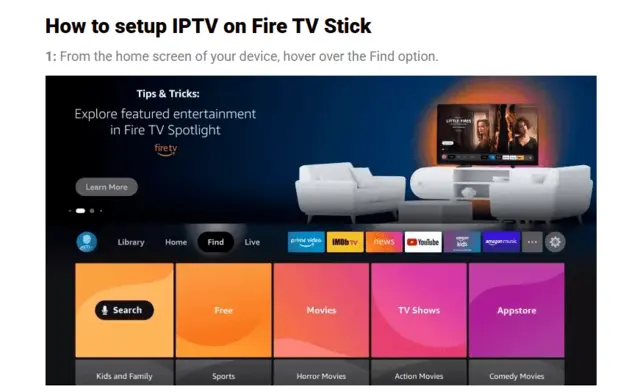
From the Fire TV home screen, highlight Find.
TREX Signal setup guide
Choose your preferred media player, enter the login details from your activation message, and your channels, guide, movies, and series will load automatically.
Fire Stick / Android guide
Follow the real Fire Stick screen captures below. Menu names can look slightly different depending on your Fire OS version.
From the Fire TV home screen, highlight Find.
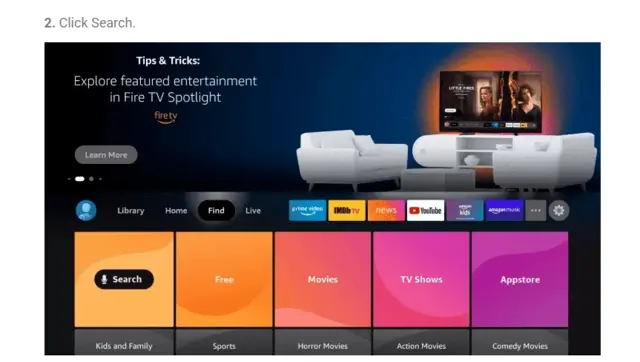
Select Search.
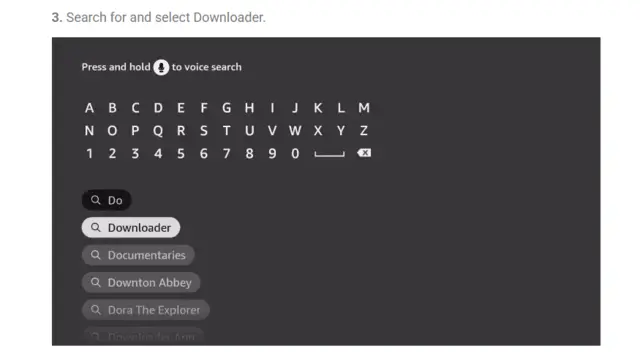
Search for Downloader.
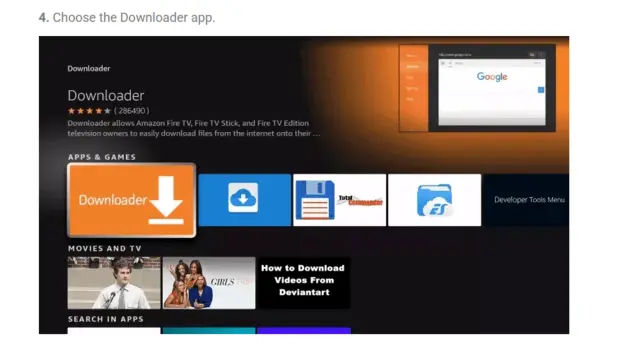
Select the Downloader app by AFTVnews.
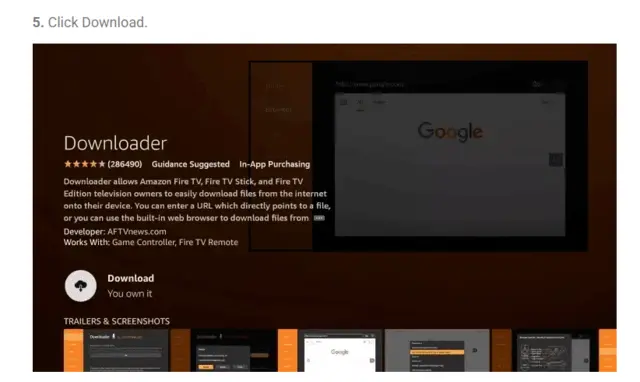
Choose Download or Get.
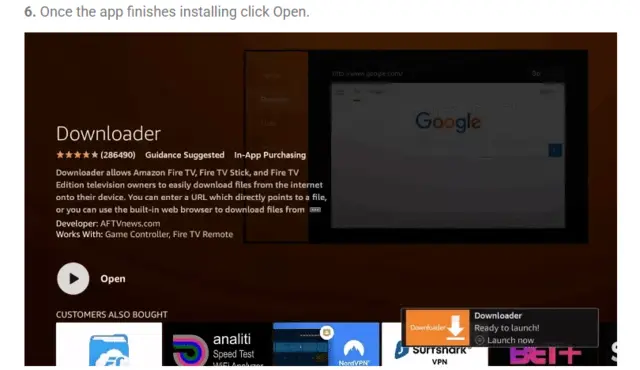
When it finishes, select Open.
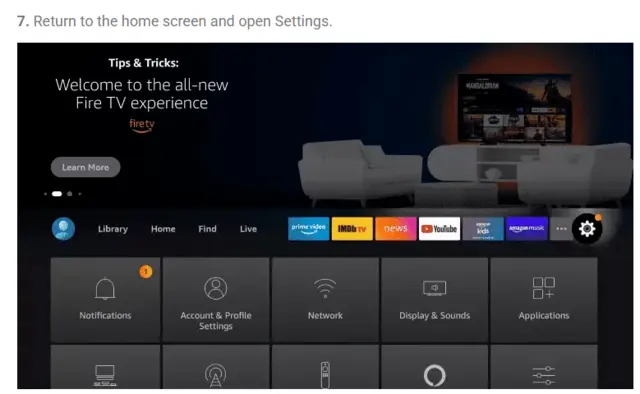
Return to Fire TV Settings.
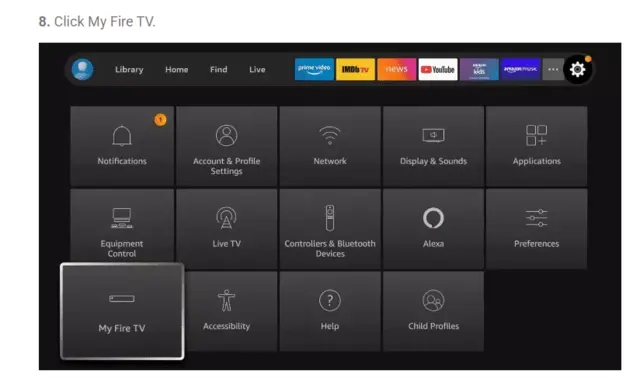
Open My Fire TV.
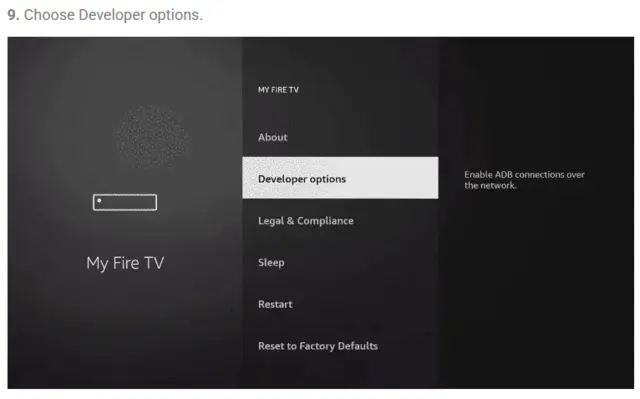
Select Developer options.
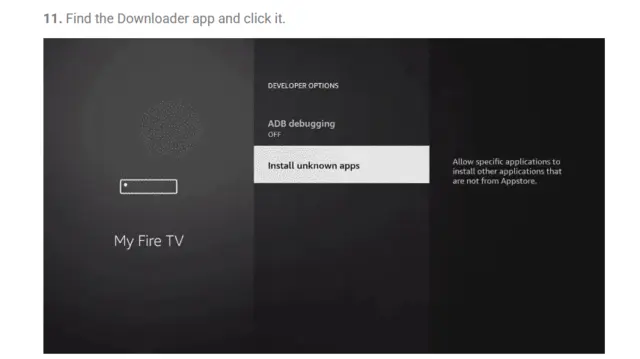
Choose Install unknown apps.
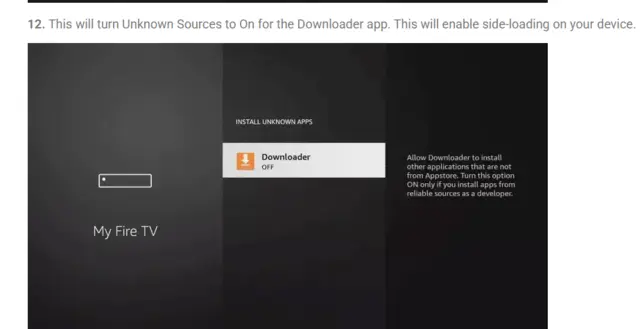
Turn Downloader on.
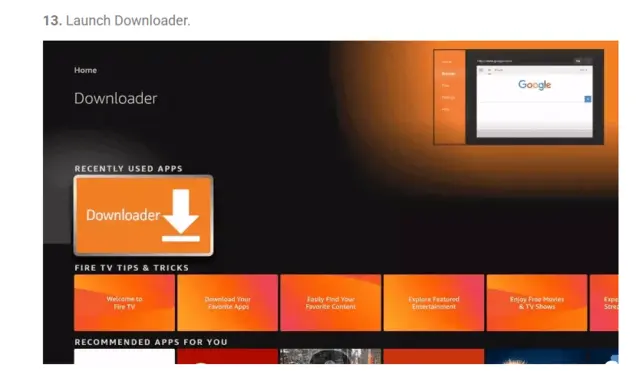
Launch Downloader.
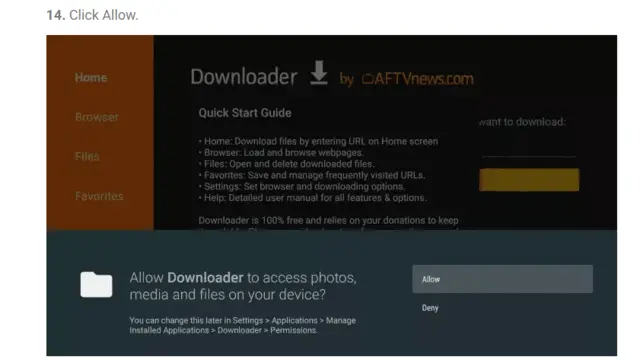
When asked, choose Allow so Downloader can access files.
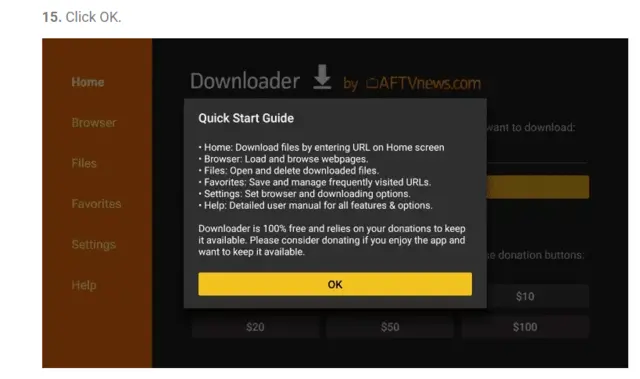
Downloader is ready to use.
272483
Type this code in Downloader, press Go, then choose Install and Open. In TiviMate, choose Add playlist and use the TREX Signal login details from your activation message.
Choose your player
We recommend iMPlayer or TiviMate. Televizo is also a free option for compatible Android devices.
The free TiviMate experience is best for live channels. To access movies and TV shows (VOD) from your playlist in TiviMate, you’ll need TiviMate Premium.
Use iMPlayer to access your TREX Signal live channels, movies, and TV shows in one place — with no extra player upgrade needed.
Android devices only · Fire TV Stick · ONN 4K · Android TV
A TV-focused player with a familiar channel-guide layout. TiviMate is for Android-based devices only, including Fire TV Stick, ONN 4K, Android TV, and Google TV.
272483Android & Apple devices · TVs · phones · tablets
A flexible media player for Android and Apple devices, including Android TV, Fire TV, Android phones and tablets, Apple TV, iPhone, and iPad.
Android phones · tablets · Android TV and compatible TV boxes
Televizo is a free IPTV player that works with your TREX Signal login. We recommend iMPlayer and TiviMate for our preferred setup experience, but Televizo is a solid alternative on Android devices. Its optional Premium upgrade is not required for basic setup.
Open the Google Play Store on your compatible Android device or TV box, search for Televizo, and select Install.
Open Televizo, choose Add playlist, then select the Xtream Codes option.
Add the TREX Signal server URL, username, and password from your activation message, then save and let the library load.
Send us a message with your device type and we’ll help you get connected. Please never post your password in a public review or social-media comment.
Quick help
Choose Xtream Codes when it is available. Use the server URL, username, and password sent in your activation message. If your activation message provides an M3U link instead, contact us for help choosing the matching option in your player.
Check every character in the server URL, username, and password. A missing character, extra space, or changed port can prevent the player from signing in. If it still does not work, contact support with your device type.
The first sync downloads the channel list, guide data, movies, and series. Leave the app open for a moment and make sure your device has a stable internet connection.